

Movement games for kids 3–9
Get up and play!
Ten games your child plays by moving: hopping, dancing, reaching and flapping. Prop up your iPhone or iPad, or put the game on your TV, and your child’s body is the controller.
- No ads
- No accounts
- The camera stays on the device


Ready in a minute
How it works
No controller and no tapping. Kids just move.
-
Prop it up
Stand your iPhone or iPad sideways at about waist height, camera facing the room. A shelf or a stack of books works.
-
Step back 2–3 m
Kids stand 2–3 metres (7–10 feet) back, so the camera sees them from head to toe. The voice tells them where to stand.
-
Play!
Raise both hands to join, then jump, step, reach and dance. Rounds last 1 to 3 minutes, and nobody loses.
Even better on the big screen Optional
Mirror the screen with AirPlay or plug in an HDMI adapter. The TV shows the game full screen, and the phone becomes a grown-up’s remote with start, pause and quit buttons.
TV setup, step by stepSee it move
See how it plays
Your child moves, and the game moves with them. Here are three of the ten games.
-
Your childOn screen






Jump · Step
Bunny Dash
Jump, and the bunny hops over the log. Step to the side, and it changes lanes to dodge a rock.
This is a still picture, because your device is set to reduce motion.
-
Your childOn screen







Reach
Bubble Pop
Reach up and out, and the magic glove follows your hand. Pop! A sparkle, and the little friend inside hops free.
This is a still picture, because your device is set to reduce motion.
-
Your childOn screen





 Freeze!
Dance · Freeze
Freeze Dance
Dance, and the penguin dances along. When the music stops: “Freeze!” Hold still, and the penguin turns frosty.
This is a still picture, because your device is set to reduce motion.
Try it!
Pop a few bubbles
In Bopsy, kids pop bubbles by reaching with their hands in front of the camera. In this little demo, your mouse or finger is the magic glove instead.
With a keyboard: the arrow keys move the glove, and Space or Enter pops the nearest bubble.
No camera here: nothing is saved or sent.
Ten games
One big playroom
Every game works for one child, or for two side by side.
-

Bunny Dash
Step · Jump
Step left and right along a forest path to dodge rocks, jump the logs and grab the stars.
-

Floor is Lava
Step · Jump
“The floor is lava!” Hop onto a rock before the lava comes, jump the lava waves and dodge the fireballs.
-
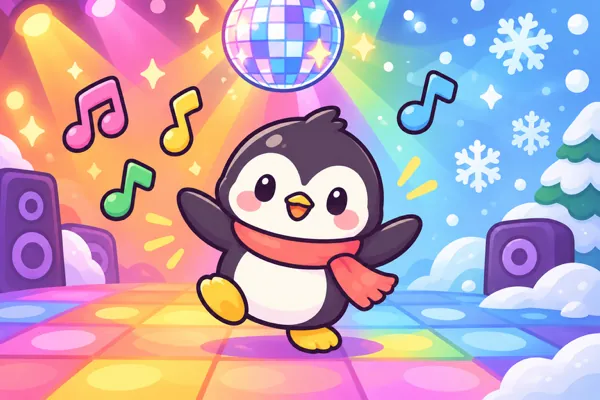
Freeze Dance
Dance · Freeze
Dance while the music plays, and freeze when it stops! A penguin copies your arms.
-

Bubble Pop
Reach · Clap
Your hands are magic gloves. Reach high and wide to pop the bubbles, and clap for the big one.
-

Flap & Fly
Flap
Flap your arms like wings to fly a little bird through hoops and catch golden berries.
-

Balloon Volley
Bop
Keep a big party balloon in the air by bopping it with your hands.
-
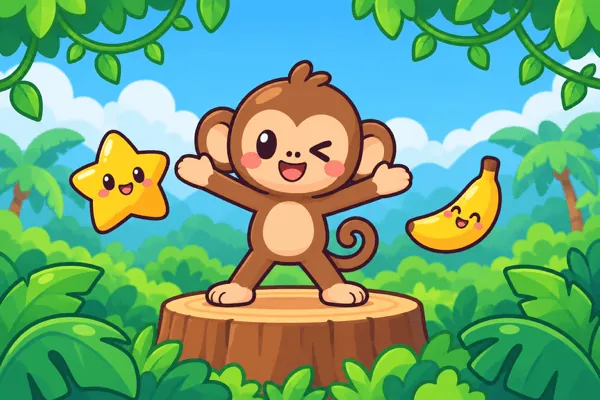
Copy the Monkey
Copy a pose
The monkey shows a move, you copy it. Big kids play “Monkey says”, with cheeky tricks.
-
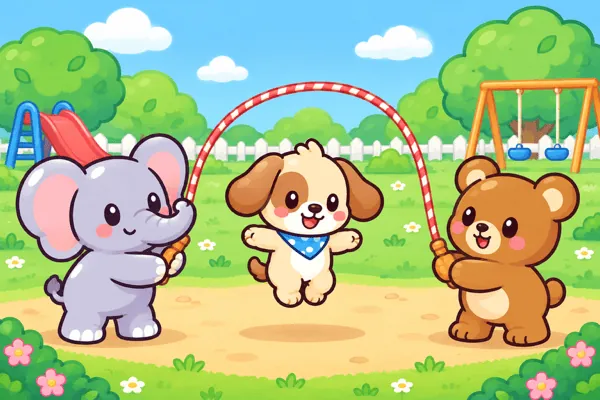
Jump the Rope
Jump
An elephant and a bear swing a giant rope. Jump each time it comes round and build a streak.
-
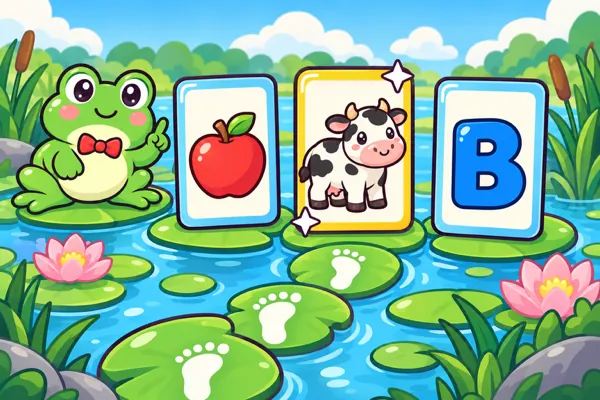
Hop to the Answer
Step · Jump
A learning game: Hopper the frog asks about colours, shapes, animals, counting and letters. Step to the right answer and jump to pick it.
-
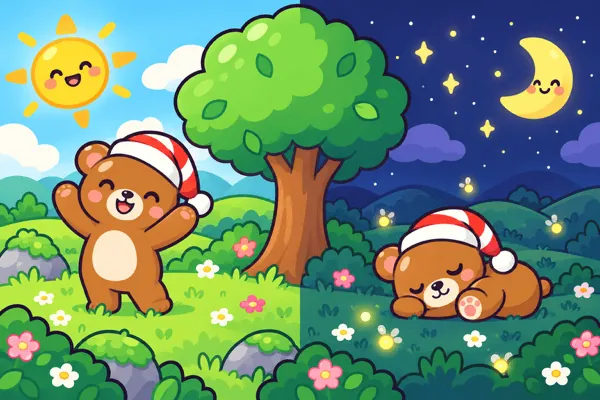
Day & Night
Crouch · Jump
“Night!” Curl up and go to sleep. “Day!” Jump up and stand tall, with a sleepy bear in a nightcap.
Ages 3–9
Made for little kids
A preschooler can play on their own, and a grown-up can sit back and cheer.
No reading needed
Everything is spoken and shown in pictures, so kids who can’t read yet can play on their own.
A friendly voice
A cheerful voice explains each game, counts along and cheers. It’s AI-generated, recorded ahead of time and built into the app.
One or two players
In every game, two kids can play side by side. Whoever raises their hands joins.
Two age levels
Little (3–5) is slower and more forgiving. Big (6–9) is faster, with extra tricks.
Nobody loses
Rounds end with 1 to 3 stars, never zero. A mistake just slows you down for a moment.
English and Serbian
The voice, the words on screen and the letters in Hop to the Answer come in English or Srpski.
Privacy first
The camera stays in the room
The camera is how kids play, so we made sure it can never be anything more.
Read the privacy policyProcessed on the device
Apple’s built-in body-pose detection finds shoulders, wrists, hips and ankles, live. Each picture is used for that moment, then thrown away.
Nothing recorded or sent
No photos, no video, no body data. The app doesn’t connect to the internet at all.
No ads, accounts or tracking
No sign-in, no analytics, no in-app purchases and no links out of the app.
This website too
No cookies, no analytics and no trackers here either.
FAQ
Questions from parents
Does the app record my child?
No. The camera picture is processed live on the device and thrown away. No photos, video or body data are saved or sent, and the app does not connect to the internet.
Is there anything to buy, any ads or an account?
No. No purchases, no ads, no accounts, no links out of the app.
How much room do we need?
Enough for kids to stand 2–3 m (7–10 ft) from the device and step left and right, in a well-lit room. No room to move? Every game can also be played by one child with taps and swipes.
Do we need a TV?
No. With the front camera, kids see the game on the iPhone or iPad itself. A TV is a fun extra: use AirPlay screen mirroring or an HDMI adapter.
Which devices does it work on?
iPhone and iPad with iOS 17 or later, held sideways.
What ages is it for?
Kids aged 3 to 9. Pick Little (3–5) for a slower, more forgiving game, or Big (6–9) for a faster one with extra tricks.
Who is the voice?
The voice is AI-generated: computer-made speech, recorded ahead of time and built into the app. The app never listens to the microphone.
The camera is off. How do I turn it back on?
Open the device’s Settings, tap Bopsy and switch Camera on. More help on the support page.
Something else? See help and support or write to hello@bopsy.app.

Ready to get moving?
Bopsy is coming soon to the App Store, for iPhone and iPad.